Ajax Live Database Search with PHP CodeIgniter
You can create a simple live database search functionality utilizing the Ajax and PHP, where the search results will be displayed as you start typing some character in search input box.
In order to use Select2, you must include the compiled JavaScript and CSS files on your website. There are multiple options for including these pre-compiled files, also known as a distribution, in your website or application.
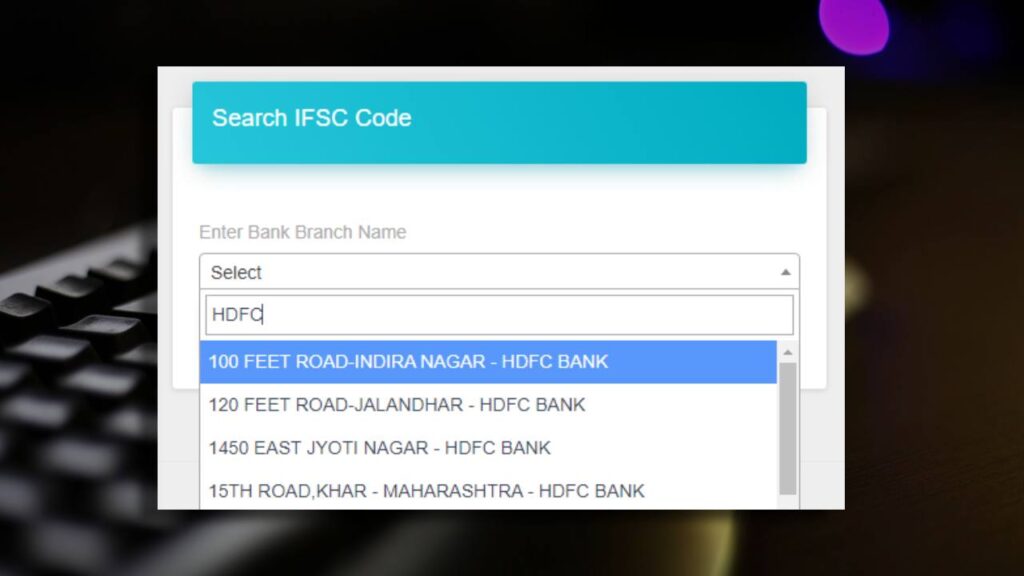
Step 1: First you need to adding jQuery to your web pages
<script src="https://ajax.googleapis.com/ajax/libs/jquery/3.5.1/jquery.min.js"></script>Step 2: Also include the following lines of code in the <head> section of your page:
<link href="https://cdn.jsdelivr.net/npm/select2@4.1.0-rc.0/dist/css/select2.min.css" rel="stylesheet" />
<script src="https://cdn.jsdelivr.net/npm/select2@4.1.0-rc.0/dist/js/select2.min.js"></script>
Step 3: Now you need to create one select box
<select name="search_bank_list" id="search_bank_list" style="width:200px;">
  <option value="">Select</option>
</select>
Step 4: In above code you must have to declare id=”search_bank_list” which is used for AJAX call as below.
<script>
$('#search_bank_list').select2({
ajax: {
url:"https://app.shinerweb.com/index.php/bankcode/search_bank_list",
type: "post",
dataType: 'json',
delay: 250,
data: function (params) {
return {
searchTerm: params.term // search term
};
},
processResults: function (response) {
return {
results: response
};
},
cache: true
}
});
</script>
Step 5: Create one function in controller file as below (* If you use simple PHP then you can ignore below steps and direct follow step 6.
function search_bank_list()
{
   $this->bankcode_model->search_bank_list();
}
Step 5: Create one function in model file as below.
function search_bank_list(){

	$searchTerm = $this->input->post('searchTerm');

	$query_data=$this->db->query("SELECT DISTINCT BANK, ID
	FROM BANK_IFSC_CODE
	WHERE DELETE_STATUS = 'N' AND BANK LIKE '%".$searchTerm."%'
	ORDER BY BRANCH ASC LIMIT 10;");

	$rowcount = $query_data->num_rows();
	if ($rowcount != 0) {
		$data = array();
		foreach ($query_data->result_array() as $row)
		{
		$data[] = array("id"=>$row['ID'], "text"=>$row['BANK']);
		}
	}

	echo json_encode($data);

	}
Comments
Post a Comment